

Talk to your dashboards. Explore with AI.
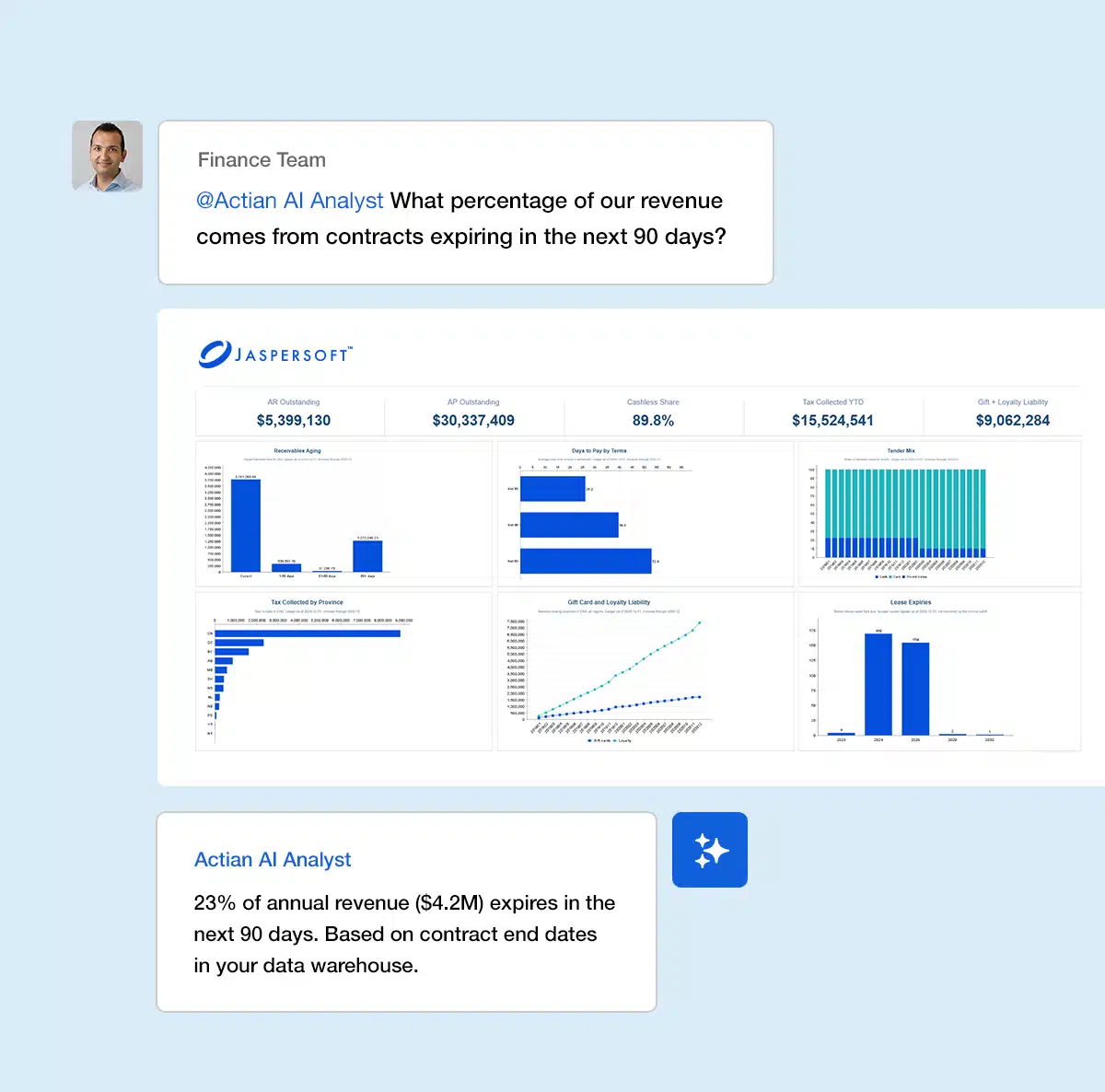
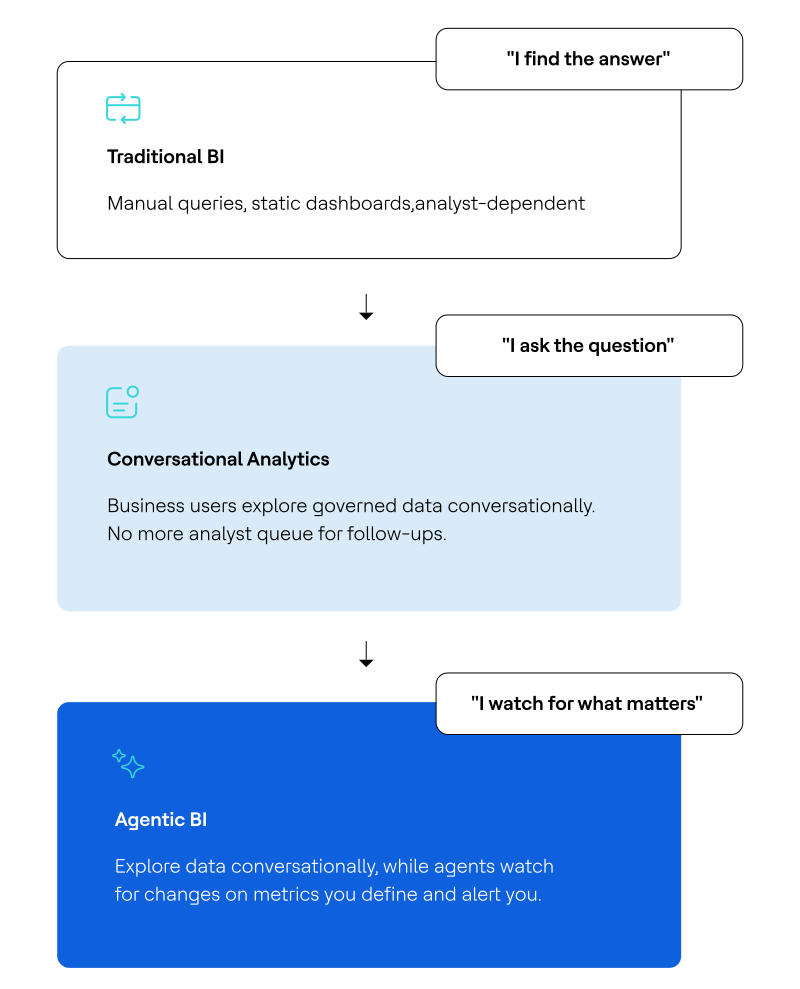
Jaspersoft handles dashboard planning and design. Actian AI Analyst handles what comes next. Together, that’s Agentic BI.


What is Agentic BI?
Jaspersoft powers structured dashboards and reports via JasperReports Server. Actian AI Analyst handles follow-up questions in plain language. Both run on the same governed semantic layer, so every answer, whether it comes from a dashboard or a conversation, means the same thing.
Top challenges

Follow-up questions
Static dashboards trigger ad-hoc follow-up questions that create a growing analyst backlog, leaving business users waiting for answers.

Dashboard sprawl
Teams request custom views for every new question instead of exploring data conversationally, fragmenting analytics.

Metric conflicts
Lack of governance and shared definitions creates inconsistency, with different teams calculating the same KPI differently.

Analyst bottlenecks
Analyst capacity is consumed by repetitive, low-complexity requests instead of strategic work.
Built for how business teams actually work

Conversational answers on governed definitions
Business users interrogate data in plain language and get answers immediately, no ticket or version drift. Every response runs on the same governed metric definitions as your dashboards, so answers and metrics can be trusted.

One context layer for dashboards/conversation
Two systems run on the same foundation: JasperReports Server handles scheduled reports and structured exploration, while Actian AI Analyst handles the emergent questions that follow.

Recurring analysis without recurring effort
Business teams build common/repeated questions as Scheduled Insights that arrive automatically. Analysts stop fielding the same requests on rotation and focus on work that requires their judgment and expertise.

Analytics access in the tools teams already use
Business users ask questions directly in Slack or Teams and get governed answers without logging into a separate analytics platform. Adoption expands because the friction of navigating to a new tool disappears.
See Agentic BI in action
Jaspersoft and AI Analyst are working together to turn dashboard follow-up questions into instant, governed answers.
Recognize any of these?
If your team is dealing with… |
Actian addresses it with… |
|---|---|
A data mesh initiative stalled at the design doc. |
Conversational analytics grounded in governed definitions lets business teams get answers directly, without a ticket. |
Different teams calculating the same metric differently and arguing about the number. |
One semantic layer serves both dashboards and conversational access, so definitions stay consistent regardless of how the question is asked. |
A growing dashboard library that still can’t answer the questions that matter most. |
Conversational access handles questions that don’t fit a pre-built view, without requiring a new dashboard for each one. |
Analytics adoption limited to users comfortable navigating dashboard interfaces. |
Any business user can ask a question in plain language and get a traceable, governed answer. |
Analysts are spending capacity on repetitive, low-complexity ad-hoc requests. |
Business users handle routine follow-up questions themselves; analysts focus on higher-complexity work. |
Concern that conversational AI will produce answers that contradict your dashboards. |
Every response traces back to the same approved metric definitions your dashboards use; answers are explainable and consistent. |
Where Agentic BI connects to the bigger picture


Ready to Stop Routing Follow-Up Questions Through Your Analytics Team?
Talk to a solutions engineer about your current analytics and reporting environment.
(i.e. sales@..., support@...)
