

Ask anything.
Get answers you can trust.
Talk to your data in plain language. Get answers, reports, and ongoing analysis grounded in shared business definitions and logic. Run AI Analyst on your own infrastructure or as managed SaaS, with your choice of supported AI models.

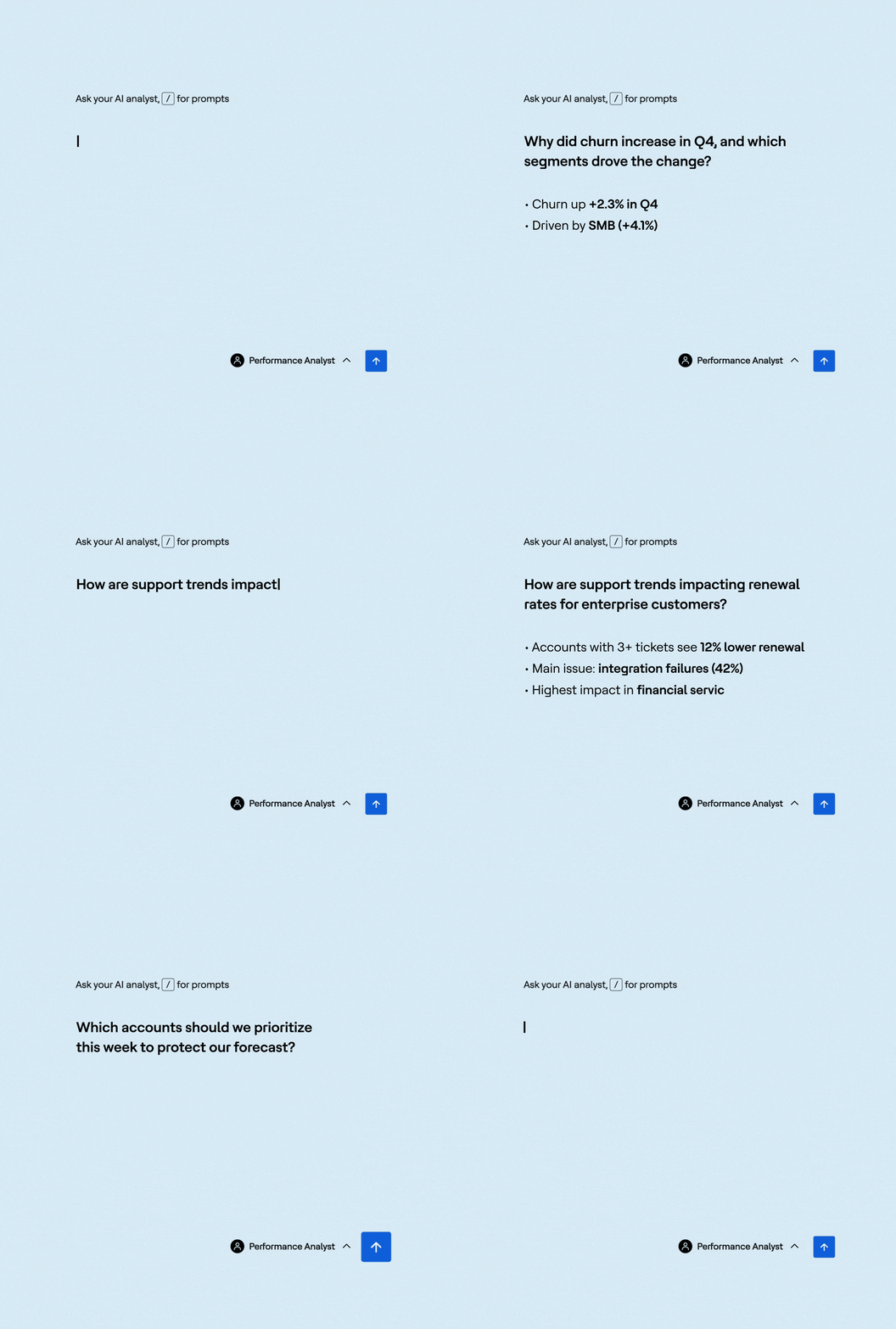










How AI Analyst turns a question into a trusted answer
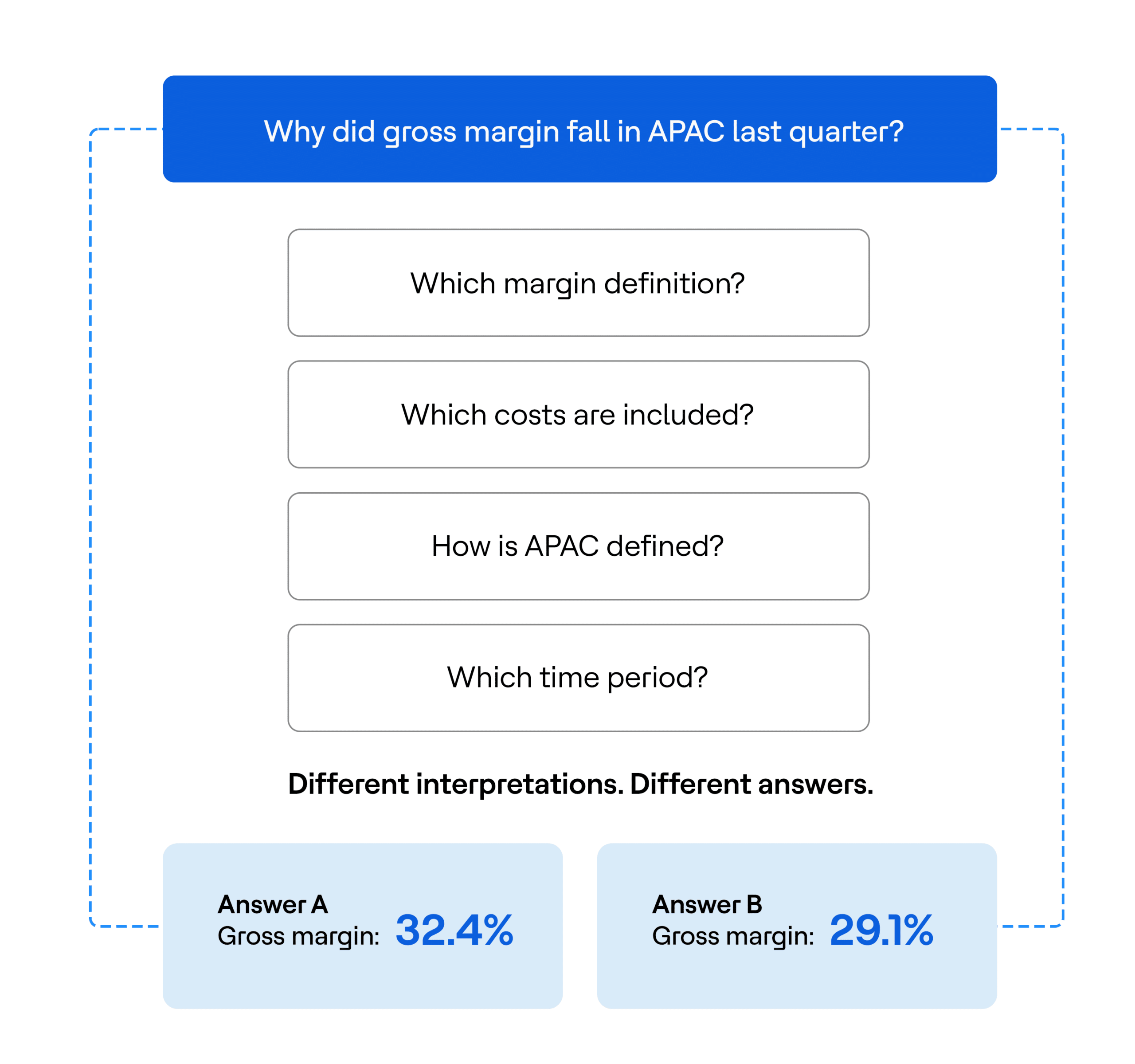
A short question can hide a lot of business logic
“Why did gross margin fall in APAC last quarter?”
Before anyone writes a query, they need to know which costs count, which markets belong to APAC, and which fiscal period to compare. Valid SQL can still answer the wrong version of the question.
More answers. Fewer handoffs.

Ask without more tickets
Explore new questions and follow-ups in plain language instead of routing each one to an analyst.

Less time reconciling
Reuse shared metric definitions instead of rebuilding business logic for every request.

Follow the next question
Break a change down by region, product, or period while the investigation is still in context.

Keep the analysis running
Turn findings into Reports and use Scheduled Insights to revisit recurring questions.
Answer business questions. Make trusted decisions.
Get answers that reflect how your business works. AI Analyst applies shared metrics, definitions, and relationships to questions about your warehouse data and makes the logic behind each answer visible.
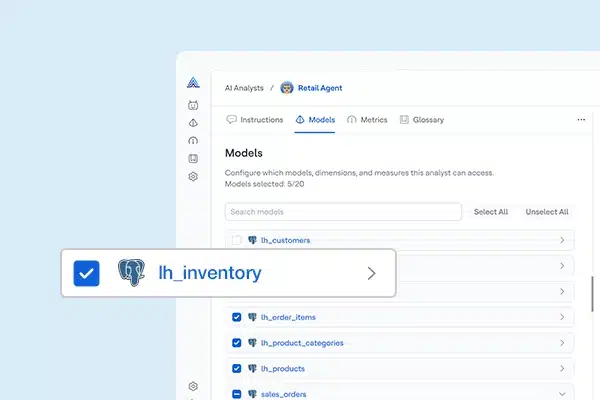
Model your business
Define shared metrics, terminology, fiscal periods, and relationships in a semantic layer. The Steward Agent helps build it, monitors semantic health as data changes, and surfaces improvements for review.

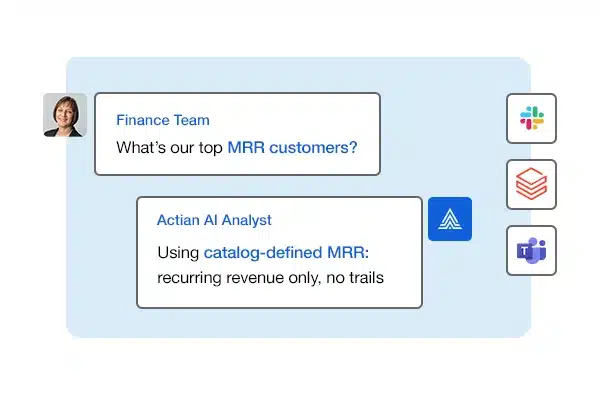
Ask in your own words
Ask questions and follow-ups without writing SQL. AI Analyst uses your business context to interpret the question and guide the analysis. Configure each AI Analyst to use approved models, dimensions, and measures.
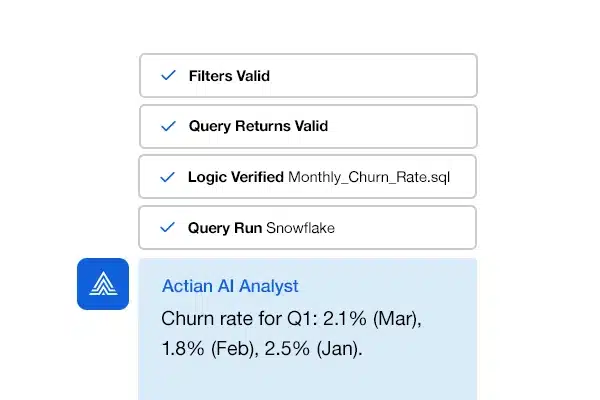
Trust what you can inspect
AI Analyst expresses each analytical query in SemQL, its semantic query language. It turns your defined metrics and relationships into SQL, so approved business logic isn’t recreated for every question. You can inspect the calculations, filters, and joins behind each answer.
See AI Analyst in action
Take the next step without starting over
Ask questions in the web app, Slack, or Microsoft Teams. Collaborate on follow-ups in conversation threads while keeping the investigation in context.
Explore the capabilities in the AI Analyst datasheet.

Ask a business question
Start with a question such as “What share of orders arrived on time last week?” AI Analyst interprets your request using defined metrics, terminology, and relationships, then returns an analytical answer without requiring you to write SQL. Use the response to decide what to investigate next.

Follow the investigation
Ask which carriers or routes account for the most late deliveries, then explore how performance varies by location or service level. AI Analyst retains context across follow-up questions so you can build on the analysis. Inspect the supporting logic as you narrow the issue and test possible explanations.

Turn findings into a report
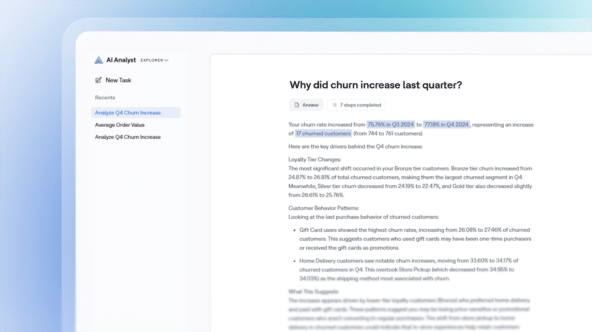
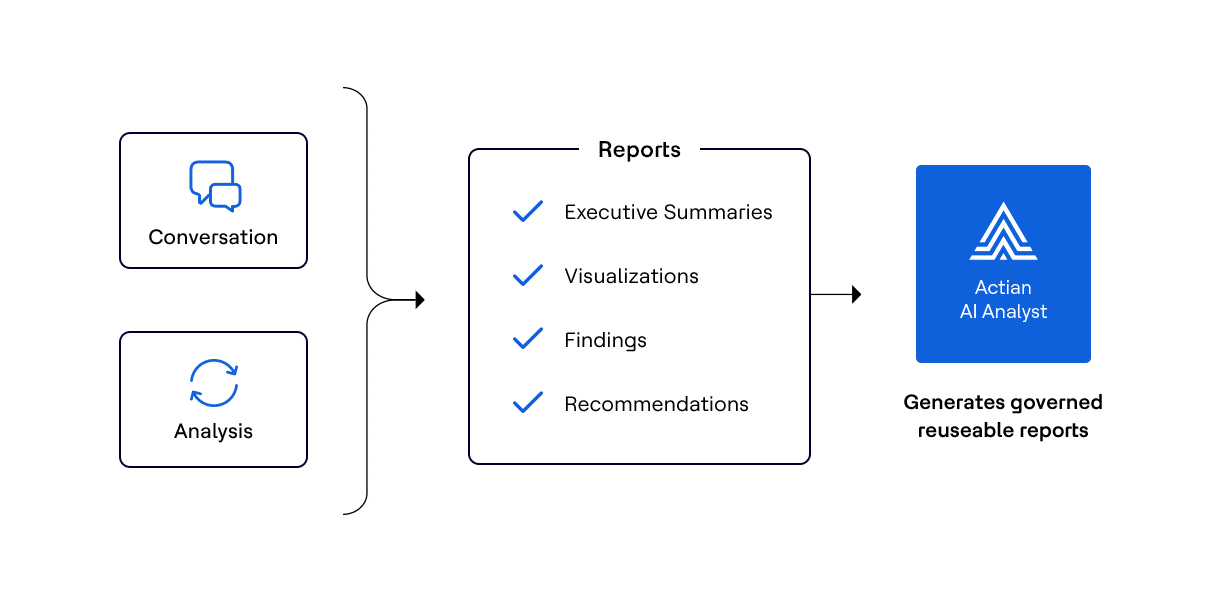
Bring the investigation together in a structured report with a summary, charts, findings, and supporting business context. Refine it conversationally to focus on what stakeholders need to understand, then share it with your team. The report carries the analysis beyond the conversation and into the next business review.

Keep the analysis running
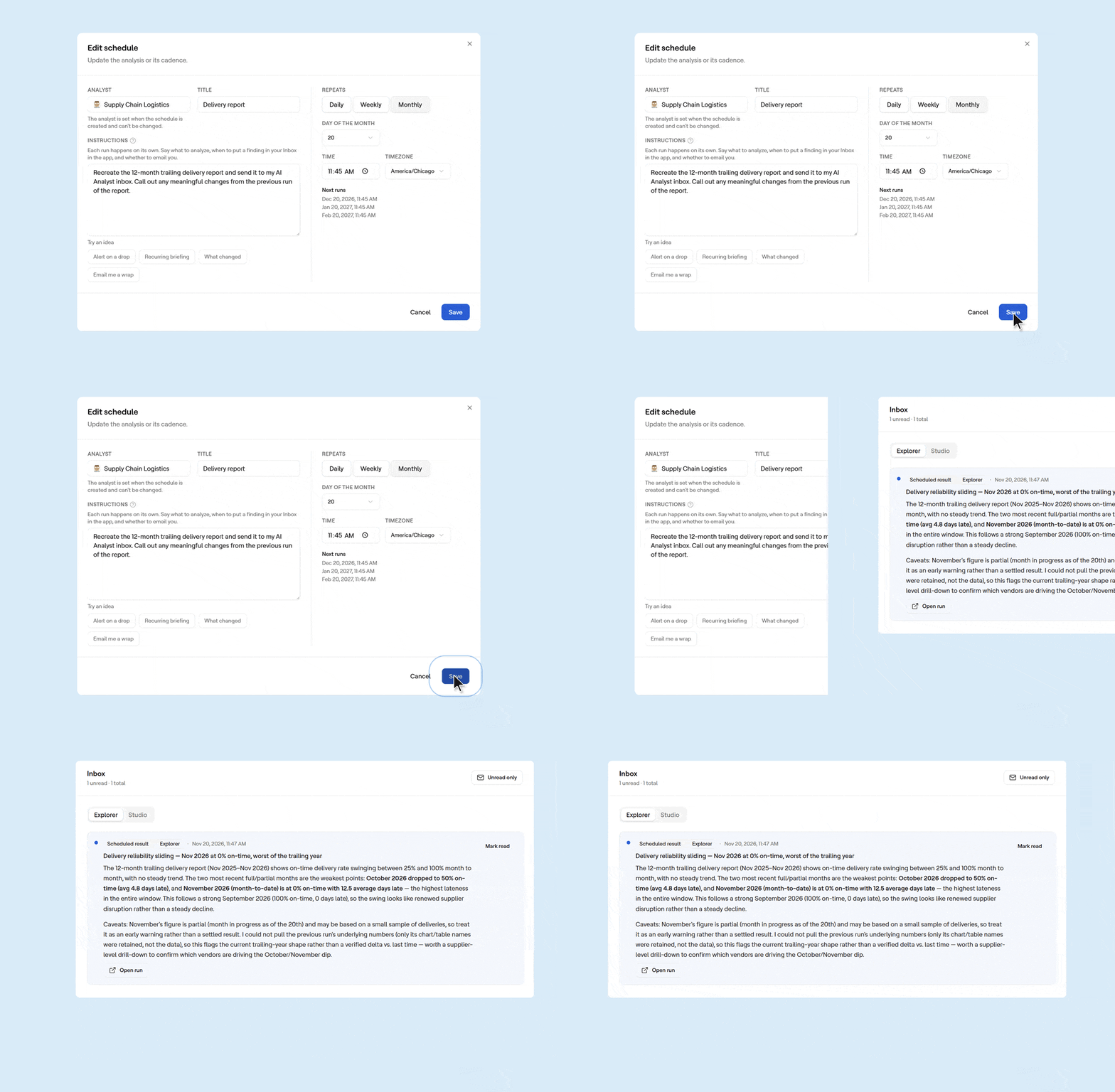
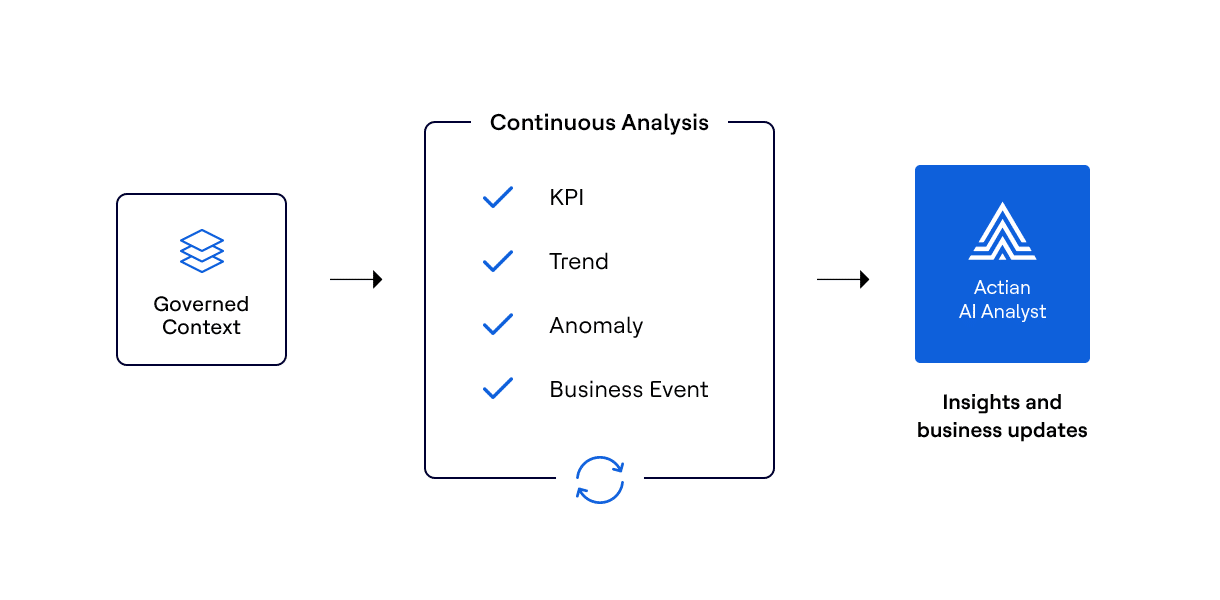
Use Scheduled Insights to monitor KPIs, trends, and anomalies. Describe what to track and which changes matter. AI Analyst checks regularly using your business definitions and can notify you only when something needs your attention, without manually restarting the analysis.
Start with the question holding up your next decision
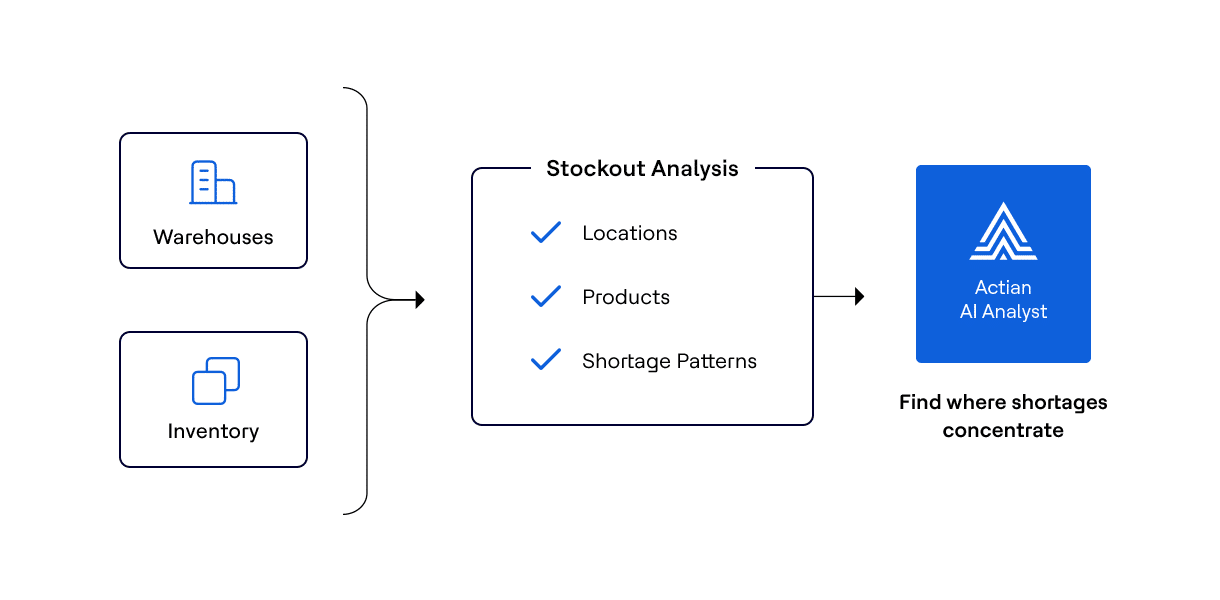
“Which campaigns converted best among first-time buyers?”
Go beyond the dashboard’s aggregate view to explore customer segments, channels, and time periods. Use shared conversion definitions to keep follow-up analysis consistent with the original question.

“Which customer invoices are more than 30 days overdue?”
Create a Report showing outstanding balances and aging by account. Schedule recurring analysis with the same definitions so the collections team can review updated results without rebuilding the request.
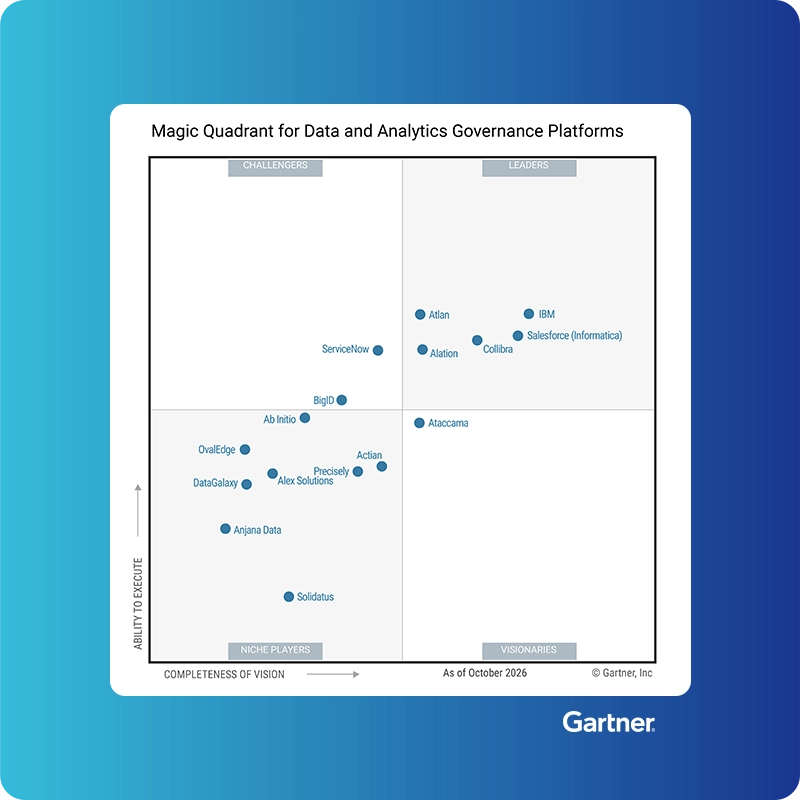
Actian recognized in the 2026 Gartner® Magic Quadrant™
Actian is recognized in the Gartner Magic Quadrant for Data and Analytics Governance Platforms, positioned furthest in the Niche Player quadrant. Actian AI Analyst builds on this foundation, letting business users ask questions in plain language and get answers grounded in governed enterprise data and consistent business definitions.
The right answers shouldn’t require the wrong architecture
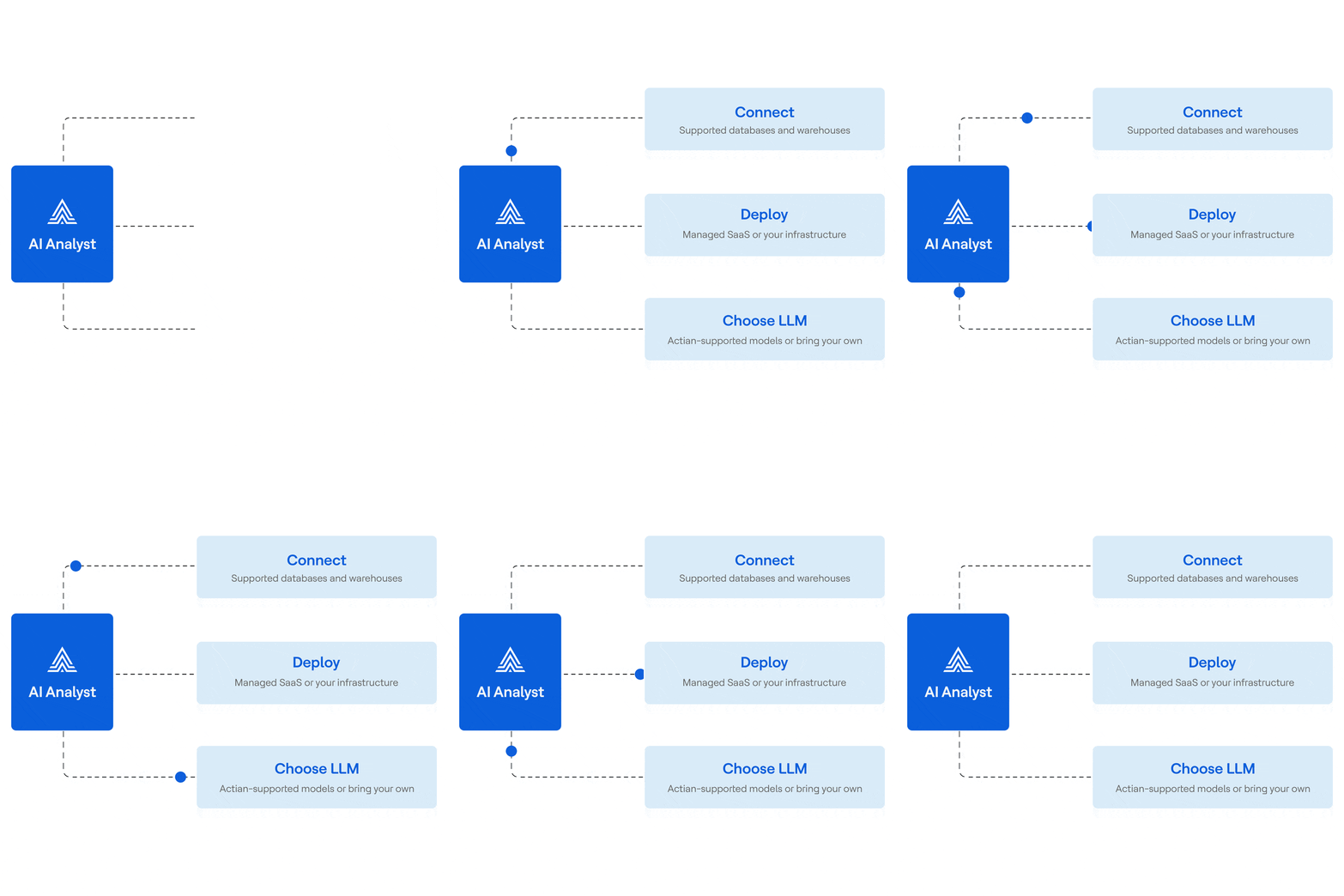
Warehouse-native assistants bring conversational analytics into their platforms. But what if you need a different deployment environment, connections to other databases, or control over the LLM?
Work with your supported databases. Choose managed SaaS or self-hosted deployment and an AI model that meets your requirements. Keep your business definitions consistent across questions, reports, and recurring analysis.
Fit the way your team
works with data
/

Choose managed SaaS or deploy AI Analyst on your own infrastructure, including on-premises, private cloud, and air-gapped environments. Match deployment to your infrastructure, data residency, and operational requirements while giving business teams the same conversational analytics experience.
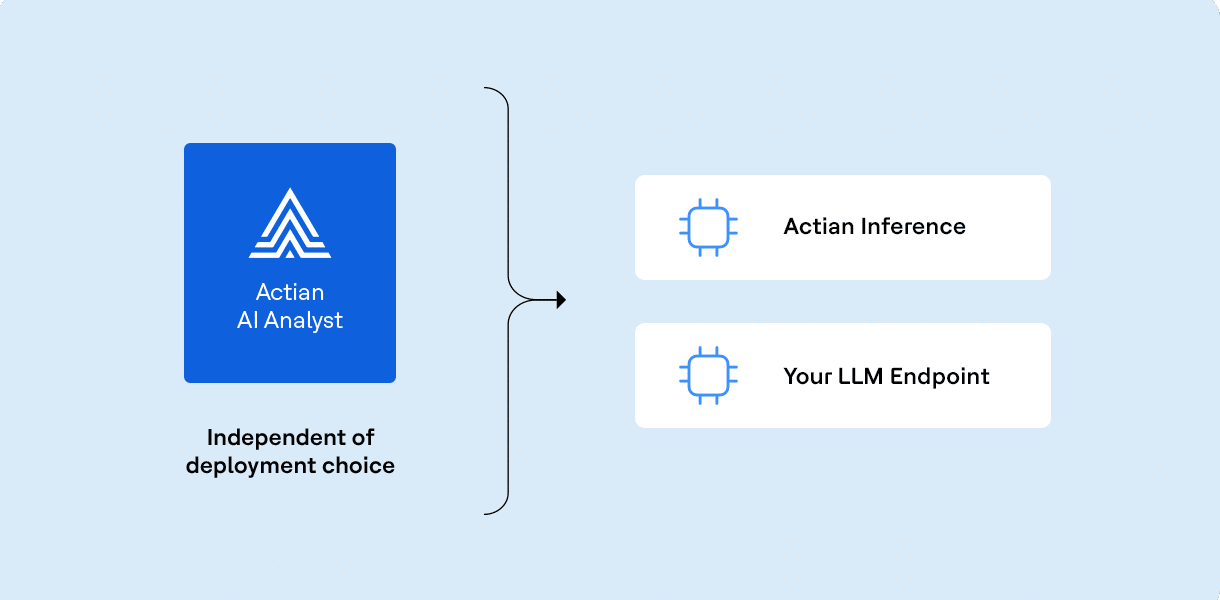
Use an AI model provided by Actian or connect your own supported model endpoint. You can bring your own model whether you use managed SaaS or run AI Analyst in your own environment.
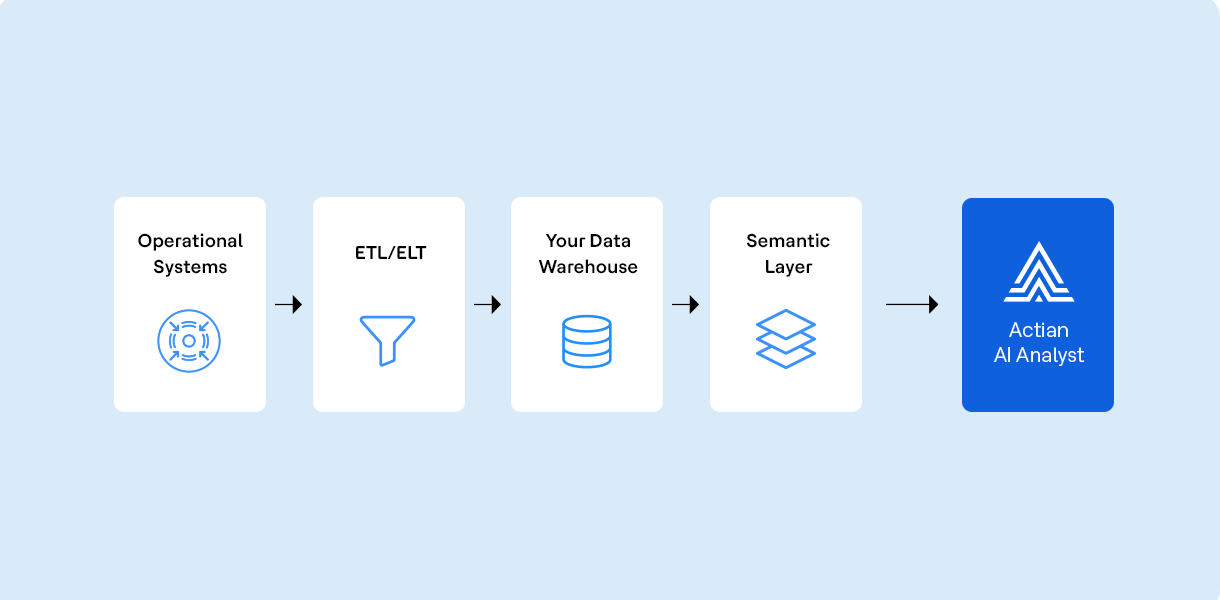
AI Analyst queries curated, modeled data in your existing databases and data warehouses, with native support for on-premises databases including Ingres, Informix, Zen, and SQL Server, alongside cloud data warehouses such as Snowflake and Databricks. A shared semantic layer supports conversational analysis, Reports, and Scheduled Insights.
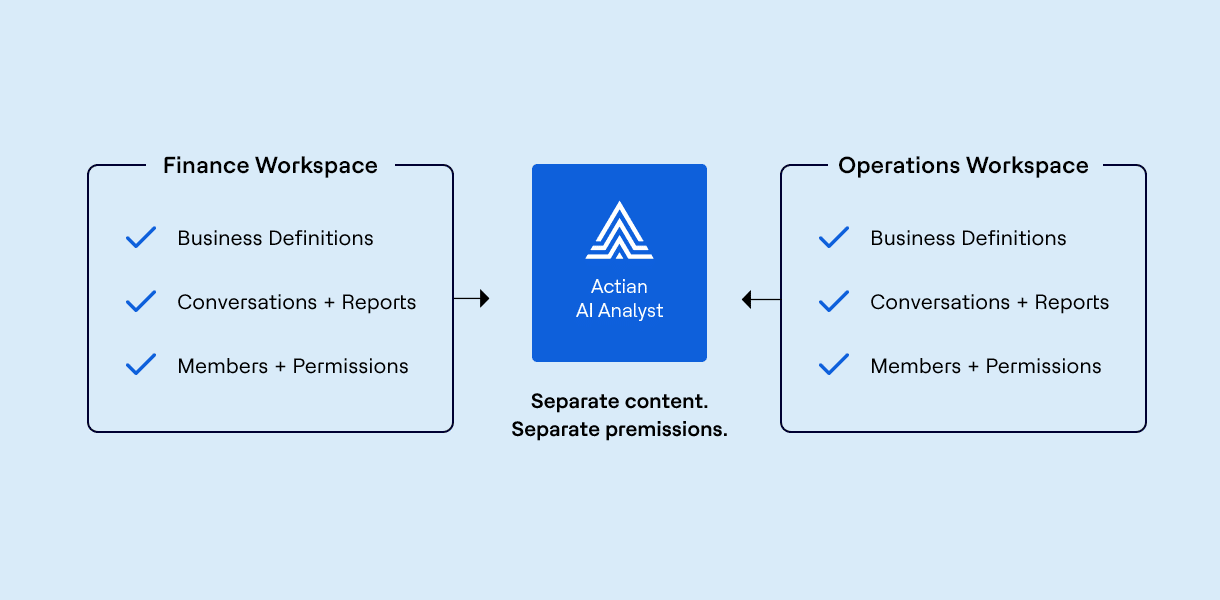
Give teams separate workspaces for their business definitions, analyst agents, conversations, and reports. Set permissions within each workspace for asking questions, editing analytics, and managing members. Assign data connections to the appropriate workspaces so teams work with the content and access they need.

Enable PII masking to detect and replace supported personal identifiers in query results before the model reads them. Input guardrails check user messages for prompt-injection attempts, with configurable blocking and audit records.
-

Choose managed SaaS or deploy AI Analyst on your own infrastructure, including on-premises, private cloud, and air-gapped environments. Match deployment to your infrastructure, data residency, and operational requirements while giving business teams the same conversational analytics experience.
-
Use an AI model provided by Actian or connect your own supported model endpoint. You can bring your own model whether you use managed SaaS or run AI Analyst in your own environment.
-
AI Analyst queries curated, modeled data in your existing databases and data warehouses, with native support for on-premises databases including Ingres, Informix, Zen, and SQL Server, alongside cloud data warehouses such as Snowflake and Databricks. A shared semantic layer supports conversational analysis, Reports, and Scheduled Insights.
-
Give teams separate workspaces for their business definitions, analyst agents, conversations, and reports. Set permissions within each workspace for asking questions, editing analytics, and managing members. Assign data connections to the appropriate workspaces so teams work with the content and access they need.
-
Enable PII masking to detect and replace supported personal identifiers in query results before the model reads them. Input guardrails check user messages for prompt-injection attempts, with configurable blocking and audit records.
Pricing
Start with a free 14-day trial. No credit card required.
Starter
Most PopularFor individual users getting started with conversational analytics.
$499 / month Or $5,950 / year
Messages: 200
Users: 10
AI Analyst Agents: 1
Tables per AI Analyst: 10
Apps/API: Slack & Teams
Growth
For teams collaborating and scaling analysis across the business.
$1,699 / month Or $19,950 / year
Messages: 1,000
Users: 50
AI Analyst Agents: 5
Tables per AI Analyst: 250
Apps/API: Slack & Teams
Scale
Most PopularFor large organizations with higher usage and governance needs.
$2,999 / month Or $35,950 / year
Messages: 3,000
Users: 100
AI Analyst Agents: 10
Tables per AI Analyst: 1,000
Apps/API: Actian AI Analyst API
Enterprise
Most PopularFor organizations requiring custom message and model limits.
Contact Sales Built for large-scale deployment
Messages: Custom
Users: Custom
AI Analyst Agents: Custom
Tables per AI Analyst: Custom
Apps/API: Actian AI Analyst API
Included with every plan
• Ask questions in natural language.
• Generate and share custom Reports.
• Automate recurring analysis with Scheduled Insights.
• Build and maintain semantic models with Steward Agent.
• Access AI Analyst from the web, Slack, or Microsoft Teams.
*Usage is measured in messages. Generating or updating a Report consumes 10 messages each.
Try AI Analyst in Your Environment
- Ask business questions naturally and see governed answers instantly.
- Experience how the Steward Agent builds a semantic foundation from your data.
- Generate executive-ready reports and recurring insights with governed business logic.
- Validate results with visible joins, filters, and metric calculations.
- Explore collaborative analytics inside Slack and Teams using trusted definitions.

Book a Live Demo of AI Analyst
(i.e. sales@..., support@...)
