
Actian Zen and Apache Kafka Integration Using Kafka Connect (JDBC)


Summary
- Build a real-time financial data pipeline by streaming Actian Zen data to Apache Kafka using JDBC Source and Sink connectors.
- Append-only source tables and idempotent upserts enable low-latency, replayable, and audit-ready trade event streaming.
- Avro with Schema Registry ensures strong schema governance and safe evolution for financial workloads.
- This architecture modernizes batch systems into streaming-first designs without replacing operational databases.
Modern financial systems are no longer built around overnight batches or periodic ETL jobs. Pricing engines, trade capture systems, risk dashboards, and compliance platforms all depend on continuous streams of events that must be processed with low latency, high reliability, and full observability.
At the same time, many organizations already rely on proven operational databases to store transactional data and power business-critical applications. Replacing those systems is rarely an option.
This engineering walkthrough shows how Actian Zen and Apache Kafka can work together to form a robust real-time data pipeline—without rewriting applications or introducing complex custom code. Using Kafka Connect JDBC Source and Sink connectors, we stream financial trade-like data from Zen into Kafka and back into Zen, creating a reusable architectural pattern suitable for real-world financial workloads.
Why Streaming Matters in Finance
Financial data has a unique set of characteristics:
- Time sensitivity: Stale data can invalidate decisions.
- Burstiness: Market open/close and volatility create spikes.
- Strict correctness: Duplicates or missing events are unacceptable.
- Auditability: Teams must replay and explain historical decisions.
Traditional batch architectures struggle under these requirements. By contrast, streaming architectures treat each record as an immutable event and allow downstream systems to react in near real time.
Kafka has become the backbone for event-driven pipelines, but Kafka alone doesn’t solve database integration. Kafka Connect bridges this gap by moving data between databases and Kafka using configuration rather than custom code.
What We’re Building
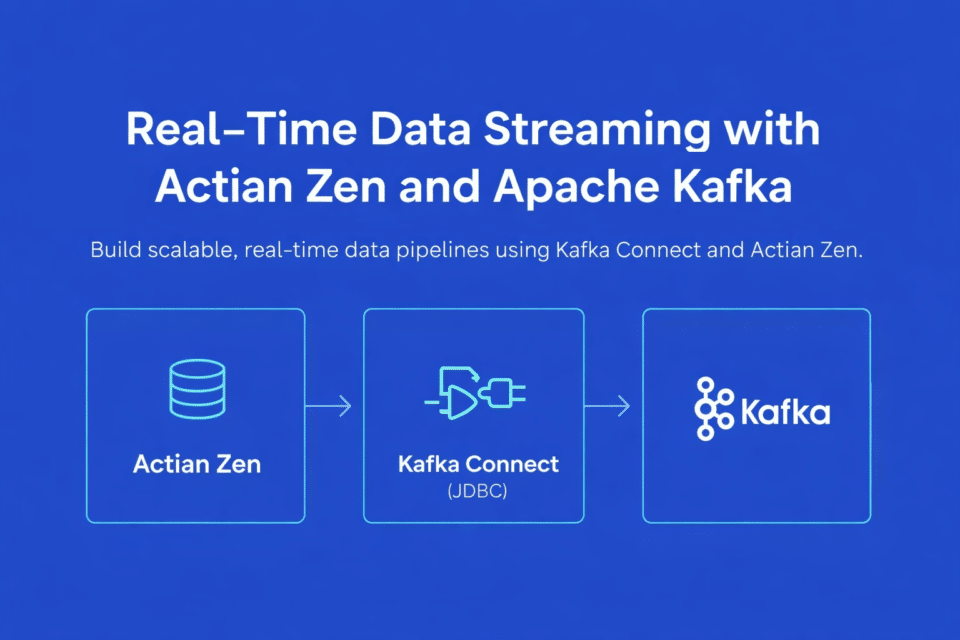
This pipeline demonstrates how financial trade-like data can be streamed from an operational Zen database into Kafka and then written back into a downstream Zen table using JDBC Source and Sink connectors:
The flow is:
- A Python process generates synthetic trade ticks.
- Each tick is inserted into a Zen source table (FinanceSource).
- A Kafka Connect JDBC Source Connector reads new rows incrementally.
- Records are published to Kafka as Avro messages (Schema Registry manages schemas).
- A Kafka Connect JDBC Sink Connector consumes the topic.
- Records are upserted into a Zen sink table (Finance).
This pattern maps directly to market data ingestion, trade replication, streaming ETL, and operational reporting.
A Look at Architecture

At a high level, the architecture has three layers:
- Data generation and operational storage: Actian Zen stores incoming trade ticks.
- Streaming backbone: Kafka provides a durable, replayable event log.
- Integration and delivery: Kafka Connect reads from Zen and writes back to Zen.
A key design principle is decoupling: producers don’t depend on consumers, and the database remains the system of record.
Data Model Design in Action
Schema design is foundational. This demonstration uses two Zen tables with clearly defined roles:
Source Table: FinanceSource (append-only)
CREATE TABLE FinanceSource ( id IDENTITY PRIMARY KEY, symbol VARCHAR(16) NOT NULL, trade_date DATE NOT NULL, trade_time TIME NOT NULL, price DECIMAL(18,6) NOT NULL, volume INTEGER NOT NULL, bid DECIMAL(18,6), ask DECIMAL(18,6), exchange VARCHAR(16), currency VARCHAR(8) DEFAULT 'USD', recorded_at TIMESTAMP NOT NULL );Two columns are especially important for streaming:
- id provides a stable incrementing cursor.
- recorded_at provides event time and enables safe incremental reads.
Sink Table: Finance (Materialized State)
CREATE TABLE Finance ( id INTEGER PRIMARY KEY, symbol VARCHAR(16), trade_date DATE, trade_time TIME, price DECIMAL(18,6), volume INTEGER, bid DECIMAL(18,6), ask DECIMAL(18,6), exchange VARCHAR(16), currency VARCHAR(8), recorded_at TIMESTAMP );The sink uses id as the primary key, enabling idempotent upserts during replay or restart.
Generating Trade Ticks With Python
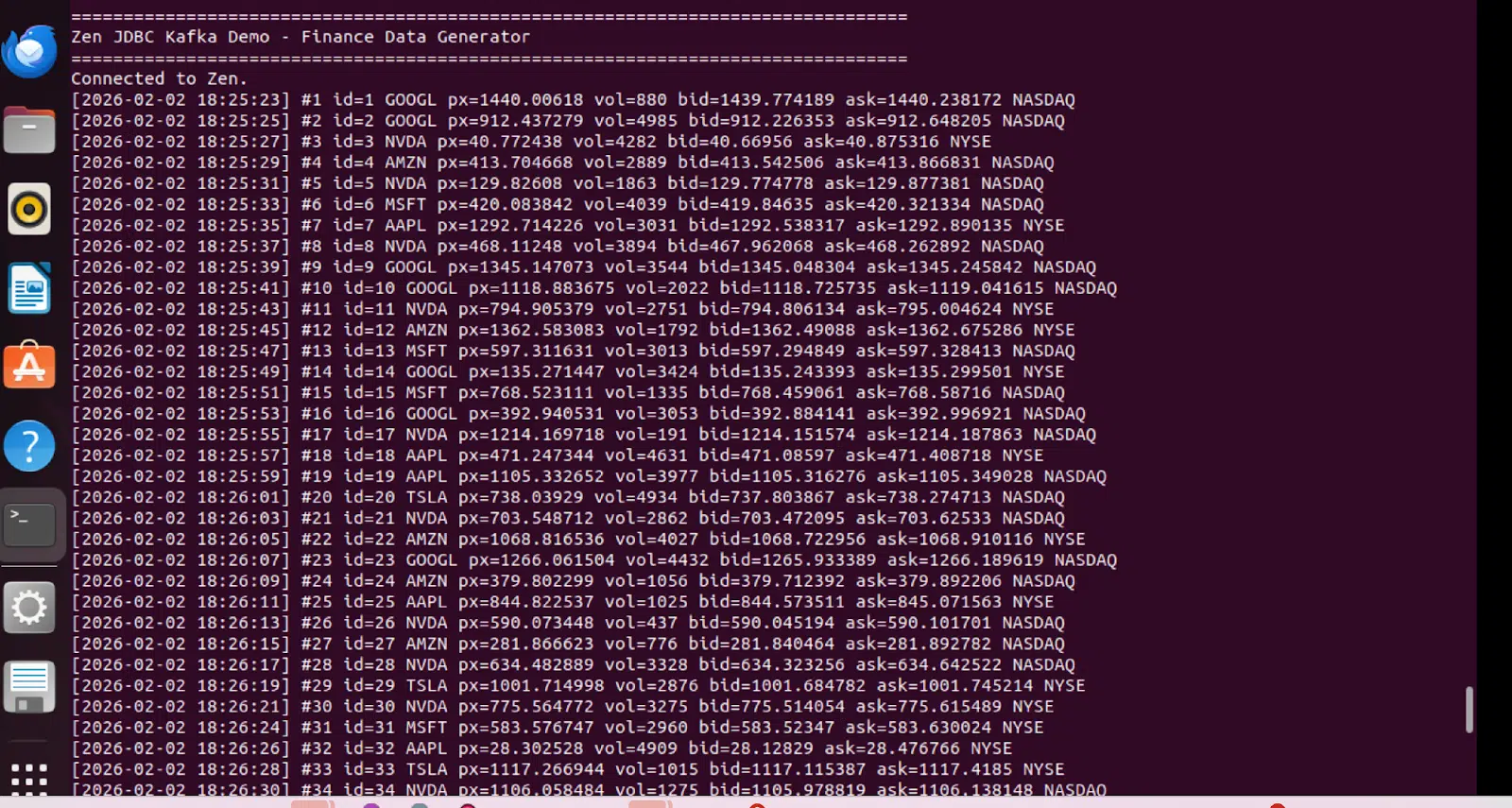
The generator simulates a live market feed by inserting a new record every two seconds. Each event includes symbol, price, bid/ask, volume, exchange, currency, and timestamps.
The generator function creates realistic market data:
def gen_tick(): symbol = random.choice(SYMBOLS) price = round(random.uniform(10, 1500), 6) spread = round(random.uniform(0.01, 0.50), 6) bid = round(price - spread/2, 6) ask = round(price + spread/2, 6) vol = random.randint(1, 5000) now = datetime.now() return { "symbol": symbol, "trade_date": date.today(), "trade_time": now.time().replace(microsecond=0), "price": price, "volume": vol, "bid": bid, "ask": ask, "exchange": random.choice(EXCHANGES), "currency": CURRENCY, "recorded_at": now, }Insert statement:
sql = """ INSERT INTO FinanceSource ( symbol, trade_date, trade_time, price, volume, bid, ask, exchange, currency, recorded_at ) VALUES (?, ?, ?, ?, ?, ?, ?, ?, ?, ?) """This append-only approach is a good match for Kafka: every row is an immutable event that can be streamed, replayed, and consumed by multiple downstream services.Streaming Zen → Kafka With the JDBC Source Connector
Kafka Connect’s JDBC Source Connector polls FinanceSource and publishes messages to Kafka.
Topic mapping:
- Connector name: demo-finance-source
- Topic prefix: finance.
- Topic: finance.FinanceSource
Incremental mode:
"mode": "timestamp+incrementing", "timestamp.column.name": "recorded_at", "incrementing.column.name": "id", "poll.interval.ms": "2000"This mode reads only new rows, avoids full scans, and supports safe restarts. Polling every two seconds keeps latency low without adding unnecessary load. Polling every two seconds also balances latency and load for demo and moderate workloads; in production, this should be tuned based on row-insert frequency and database capacity.
Complete source connector configuration:
"connector.class": "io.confluent.connect.jdbc.JdbcSourceConnector", "connection.url": "jdbc:pervasive://host.docker.internal:1583/DEMODATA", "dialect.name": "ZenDatabaseDialect", "mode": "timestamp+incrementing", "timestamp.column.name": "recorded_at", "incrementing.column.name": "id", "table.whitelist": "FinanceSource", "topic.prefix": "finance.", "poll.interval.ms": "2000", "value.converter": "io.confluent.connect.avro.AvroConverter"Avro and Schema Registry for Schema Governance
Financial schemas evolve: new metrics, new identifiers, or adjusted precision come into play. Avro with Schema Registry provides strong typing, centralized versioning, and compatibility controls.
Connector configuration:
"value.converter": "io.confluent.connect.avro.AvroConverter", "value.converter.schema.registry.url": "https://schema-registry:8081"With this setup, schemas are registered automatically and consumers can evolve safely over time. Schema Registry is required only when using Avro (or Protobuf/JSON Schema); JSON converters can be used for lighter-weight demos at the cost of schema governance.
Kafka → Zen With the JDBC Sink Connector (Upsert)
The Sink Connector consumes the Kafka topic and writes into the Finance table.
Upsert configuration:
"topics": "finance.FinanceSource", "table.name.format": "Finance", "insert.mode": "upsert", "pk.mode": "record_value", "pk.fields": "id", "auto.create": "false", "auto.evolve": "true"Upsert is a strong default because restarts and replays remain idempotent, and late-arriving corrections can update existing keys.
Deployment and Orchestration
All Kafka components run in Docker: Kafka broker, Schema Registry, Kafka Connect, and Kafka UI (Kafbat / AKHQ-compatible). Actian Zen runs on the host.
A single orchestration script starts the stack, initializes tables, creates connectors, and launches the generator. This “one command demo” model is useful for training, proofs of concept, and repeatable testing.
Endpoints typically used during validation:
- Kafbat UI: https://localhost:8080
- Kafka Connect REST: https://localhost:8083
- Schema Registry: https://localhost:8081
Operational Validation
To validate end-to-end flow:
- Confirm the generator prints new ticks every two seconds.
- Check connector status via Kafka Connect REST.
- Inspect messages in the finance.FinanceSource topic.
- Query the Zen sink table Finance.
Status calls:
curl https://localhost:8083/connectors/demo-finance-source/status curl https://localhost:8083/connectors/demo-finance-sink/statusIf something fails, Kafka Connect logs are usually the fastest signal: missing JDBC jars, dialect issues, or authentication problems.
Production Considerations
This demo is intentionally simple, but the architecture scales well. In production, consider:
- TLS and authentication for Kafka and Connect.
- Topic partitioning for parallelism (e.g., by symbol).
- Dead-letter queues for problematic records.
- Schema compatibility enforcement in Schema Registry.
- Multi-worker Connect clusters for throughput and resilience.
- Monitoring (Prometheus/Grafana).
The core pattern—append-only source + incremental polling + Avro + idempotent sink upserts—remains a strong baseline.
Take a Visual Walkthrough
The following screenshots demonstrate the pipeline in action, from data generation through Kafka to the final sink table:
Data Generator Output
The Python generator continuously produces synthetic trade ticks every two seconds, simulating live market data:
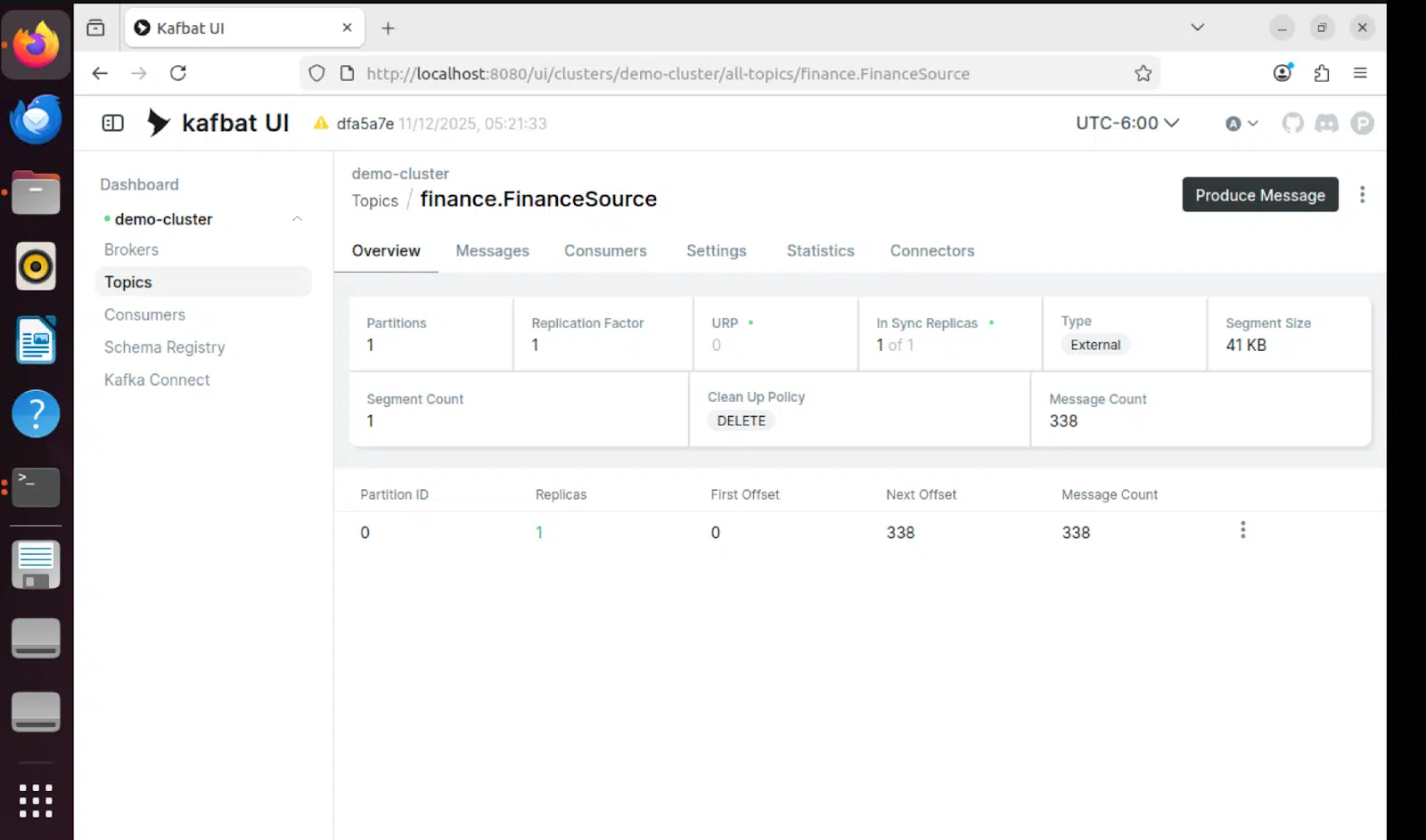
Kafbat UI – Topic View
The Kafbat UI provides real-time visibility into Kafka topics, showing messages flowing through the pipeline:
Connector Status
Both source and sink connectors show RUNNING status, confirming the pipeline is operational:
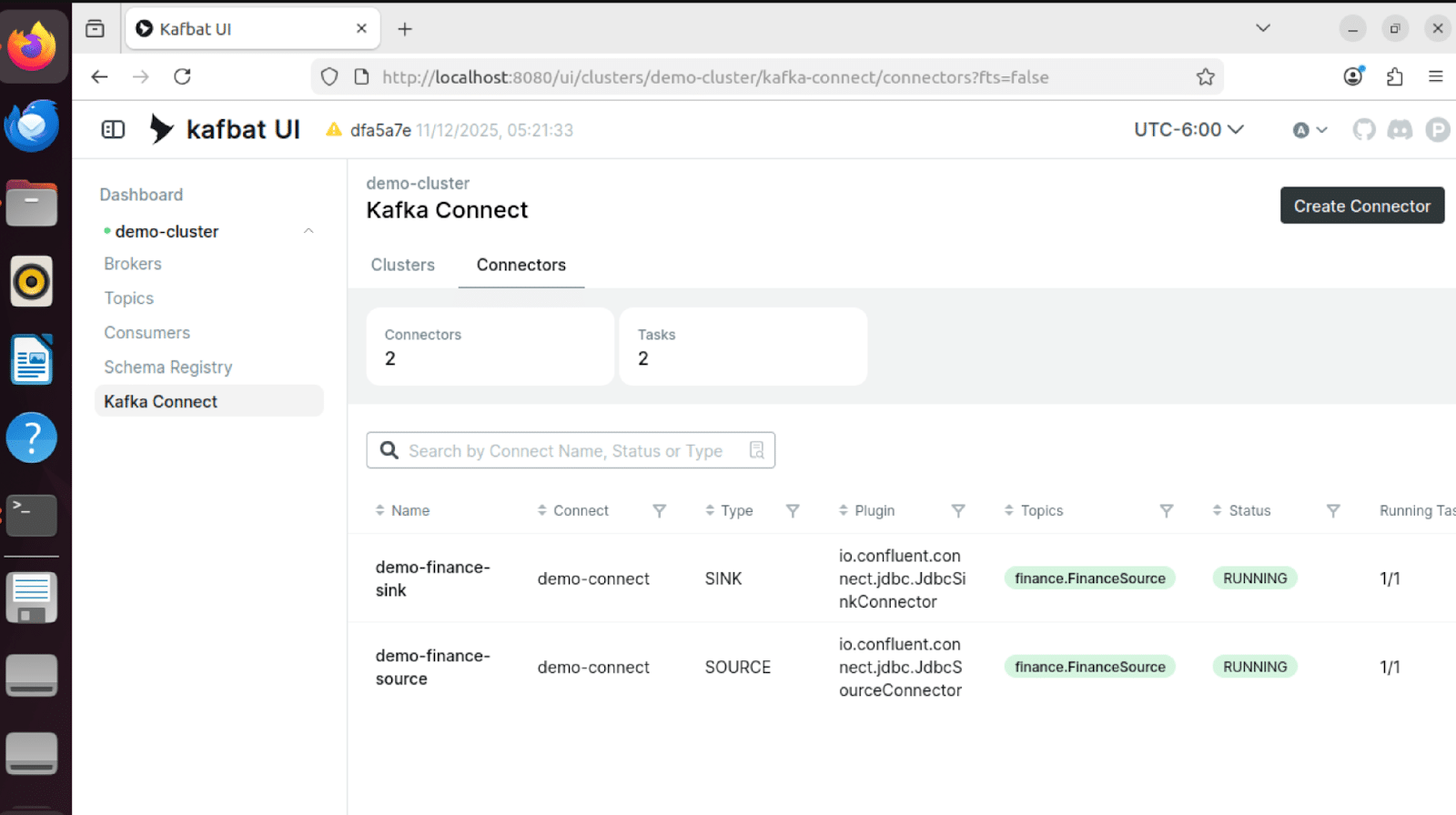
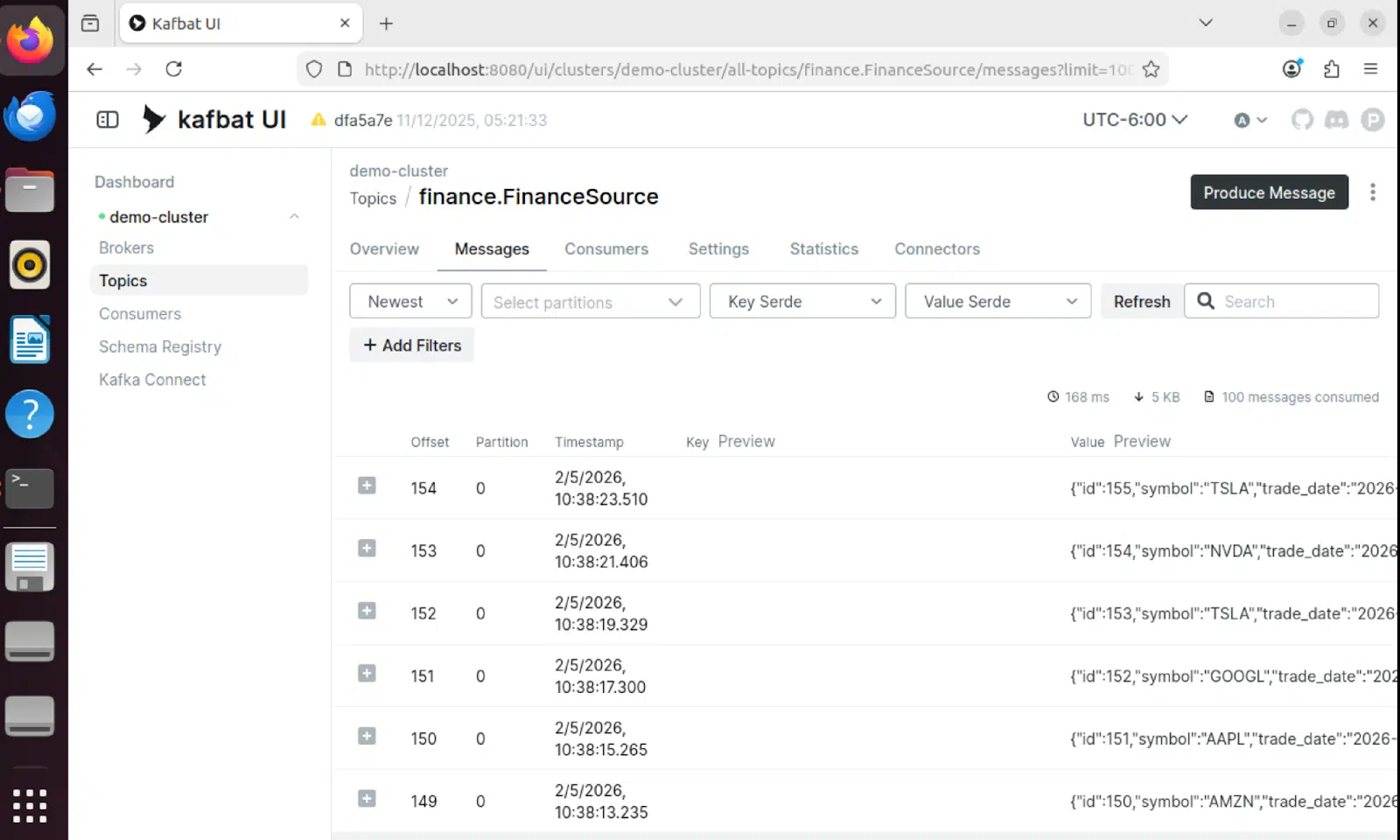
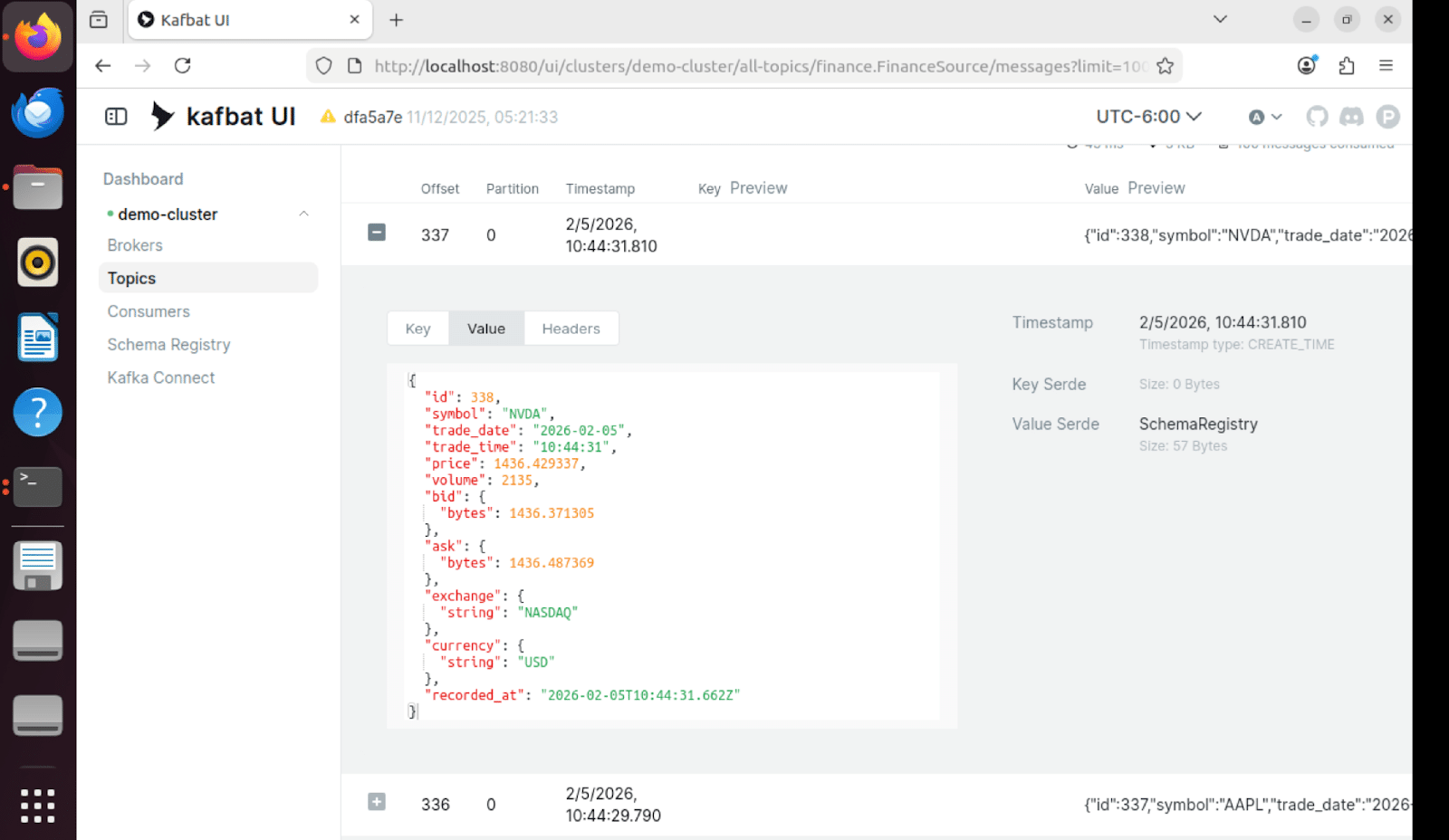
Message Contents
Individual messages in Kafka contain the full trade tick data in Avro format with schema versioning:
Sink Table Results
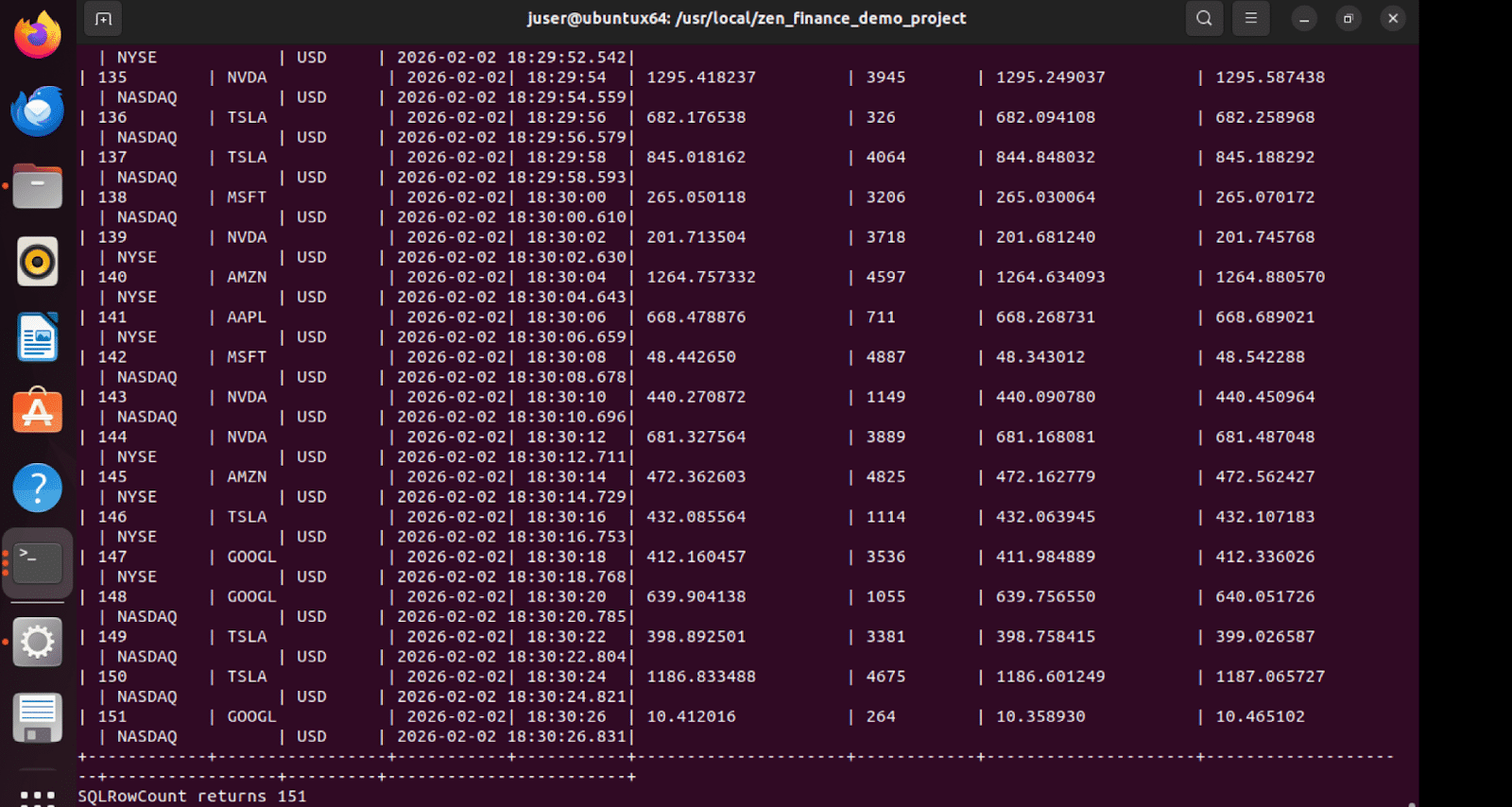
The Finance sink table in Zen receives the streamed data, demonstrating a successful end-to-end flow.
Getting Started
The demo includes a comprehensive orchestration script that automates the entire setup process. Running the demo is as simple as executing a single Python script.
One-Command Demo Launch
The orchestrator handles five key steps automatically:
- Start Docker Compose stack (Kafka, Schema Registry, Connect, UI).
- Wait for all services to become healthy (45 to 60 seconds).
- Initialize FinanceSource and Finance tables in Zen.
- Create and configure JDBC source and sink connectors.
- Launch the data generator in the background.
Core orchestration logic:
def run(self): # Step 1: Start Docker Compose self.start_docker_compose() # Step 2: Wait for services self.wait_for_services() # Step 3: Initialize databases self.initialize_databases() # Step 4: Setup connectors self.setup_connectors() # Step 5: Start data generator self.start_data_generator() # Show status and keep running self.show_status()The script provides clear status updates at each step and handles cleanup on interruption (Ctrl+C).
Table Initialization
The initialization script creates both tables with proper schemas and drops existing tables to ensure a clean state:
def create_finance_source(conn): exec_sql(conn, "DROP TABLE IF EXISTS FinanceSource") create_sql = """ CREATE TABLE FinanceSource ( id IDENTITY PRIMARY KEY, symbol VARCHAR(16) NOT NULL, trade_date DATE NOT NULL, trade_time TIME NOT NULL, price DECIMAL(18,6) NOT NULL, volume INTEGER NOT NULL, bid DECIMAL(18,6), ask DECIMAL(18,6), exchange VARCHAR(16), currency VARCHAR(8) DEFAULT 'USD', recorded_at TIMESTAMP NOT NULL ) """ exec_sql(conn, create_sql)Build and Benefit From a Real-Time Financial Pipeline
This solution demonstrates a practical way to build a real-time financial pipeline with Actian Zen and Kafka Connect:
- Zen stores operational ticks and remains the system of record.
- Kafka provides a durable, replayable stream.
- Kafka Connect moves data reliably with configuration.
- Avro and Schema Registry add schema safety.
- The sink table provides queryable materialized state.
For organizations modernizing financial data flows, this architecture offers a clear path from batch processing to streaming-first designs without abandoning existing database investments.
Read more in our blog series that focuses on helping embedded app developers get started with Actian Zen.

Stay connected
Data insights delivered to you.
(i.e. sales@..., support@...)
